.png)

.svg)


TL;DR:
- Google Shopping is a comprehensive product discovery platform utilizing AI and real-time data to increase visibility across multiple Google surfaces.
- Success depends on high-quality, detailed product feeds and ongoing optimization, not just ad setup.
- Most brands underutilize Shopping by treating it as a simple checkbox, missing out on growth opportunities through feed and campaign improvements.
Google Shopping is one of the most misunderstood tools in e-commerce marketing. Many business owners assume it’s simply another form of Google Ads, a paid placement you switch on and off like a tap. The reality is far richer. Google Shopping is a full product discovery engine, powered by the Shopping Graph with over 50 billion listings refreshed hourly, spanning free organic placements and paid ads alike. Whether you’re a growing direct-to-consumer brand or an established retailer, understanding how Shopping truly works could be the difference between being found and being invisible.
Table of Contents
- What is Google Shopping? The essentials explained
- How does Google Shopping work behind the scenes?
- Benefits of Google Shopping for e-commerce brands
- Common pitfalls and how to stay compliant
- What most e-commerce brands miss about Google Shopping
- Next steps: scale your e-commerce sales with Google Shopping expertise
- Frequently asked questions
Key Takeaways
| Point | Details |
|---|---|
| Wide reach potential | Google Shopping displays your products across Search, Shopping tab, and Images for unparalleled consumer visibility. |
| Free and paid listings | You can combine free organic placements with targeted paid ads for maximum results. |
| Feed quality matters | A well-structured Merchant Center feed is essential for higher rankings and compliance. |
| Stay compliant | Adhering to Google Shopping policies prevents feed disapproval and sales disruption. |
| Continuous optimisation wins | The biggest growth comes from ongoing feed, campaign, and strategy improvements. |
What is Google Shopping? The essentials explained
Google Shopping is not just a tab on Google Search. It is a visual product discovery platform that surfaces product listings from merchant feeds across Google Search, the Shopping tab, Google Images, YouTube, and other Google-owned surfaces. When a shopper types “waterproof running shoes” into Google, they don’t just see text links. They see images, prices, brand names, and star ratings before they’ve even clicked a single result. That visual format changes buying behaviour significantly.
What makes Google Shopping particularly powerful is the infrastructure behind it. The Shopping Graph uses artificial intelligence and real-time data to match products to search intent, personalise results based on a user’s browsing history, and update listings continuously. This is not a static directory. It is a living, breathing catalogue that evolves with consumer demand.
Here’s a quick breakdown of where your products can appear:
- Google Search results (product carousels at the top or side)
- The Shopping tab (dedicated browsing experience)
- Google Images (shoppable image results)
- YouTube (product listings alongside relevant video content)
- Google Lens (visual search results)
- Google Maps (local inventory ads)
For e-commerce brands, this multi-surface reach is extraordinary. A single well-optimised product feed can generate visibility across six or more touchpoints simultaneously. Compare that to a standard search text ad, which appears in one place.
| Surface | Listing type | Shopper intent |
|---|---|---|
| Google Search | Paid and free | High purchase intent |
| Shopping tab | Paid and free | Browsing and comparing |
| Google Images | Free organic | Discovery and inspiration |
| YouTube | Paid | Awareness and consideration |
| Google Maps | Paid (local) | Local purchase intent |
Our Google Shopping services are built around maximising your presence across all of these surfaces, not just the obvious ones. The brands that win on Shopping understand it as an ecosystem, not a single ad format.
How does Google Shopping work behind the scenes?
Now that you know what Google Shopping is, let’s see how your products actually make their way onto Google’s surfaces.

Everything starts with Google Merchant Center. This is the platform where you upload your product data, and the quality of that data determines almost everything that follows. Merchants submit product feeds containing titles, descriptions, prices, images, availability, GTINs (Global Trade Item Numbers), and more. Google then uses this data to decide when and where to show your products.
Here’s a simplified view of the process:
- Create a Merchant Center account and verify your website.
- Build your product feed with accurate, detailed product attributes.
- Submit the feed and resolve any errors or disapprovals.
- Link Merchant Center to Google Ads if you want paid placements.
- Monitor and optimise feed quality, bids, and performance continuously.
One thing that surprises many e-commerce managers is that free organic listings are available alongside paid Shopping ads. You don’t have to spend on ads to appear in the Shopping tab. That said, paid placements command significantly more visibility, particularly in competitive categories.
| Feature | Free listings | Paid Shopping ads |
|---|---|---|
| Cost | None | Cost-per-click (CPC) |
| Placement | Shopping tab, Images | Search, Shopping tab, all surfaces |
| Control | Limited | Full bid and budget control |
| Visibility | Moderate | High |
| Best for | Brand discovery | High-intent conversion |
Ranking is based on relevance to the search query, personalisation from user activity, and AI-generated recommendations. Non-sponsored results are not influenced by payment, which means feed quality is the great equaliser.
Pro Tip: Treat your product titles like SEO copy. Include the brand name, key attributes, size, colour, and material in that order. Google reads titles from left to right, so front-load the most important terms.
If you’re exploring automation, Performance Max automation integrates Shopping feeds with broader Google channels. And for structuring your spend correctly from day one, solid campaign setup for ROI is essential.
Benefits of Google Shopping for e-commerce brands
Understanding how it works leads us to the tangible value Google Shopping can add to your e-commerce business.
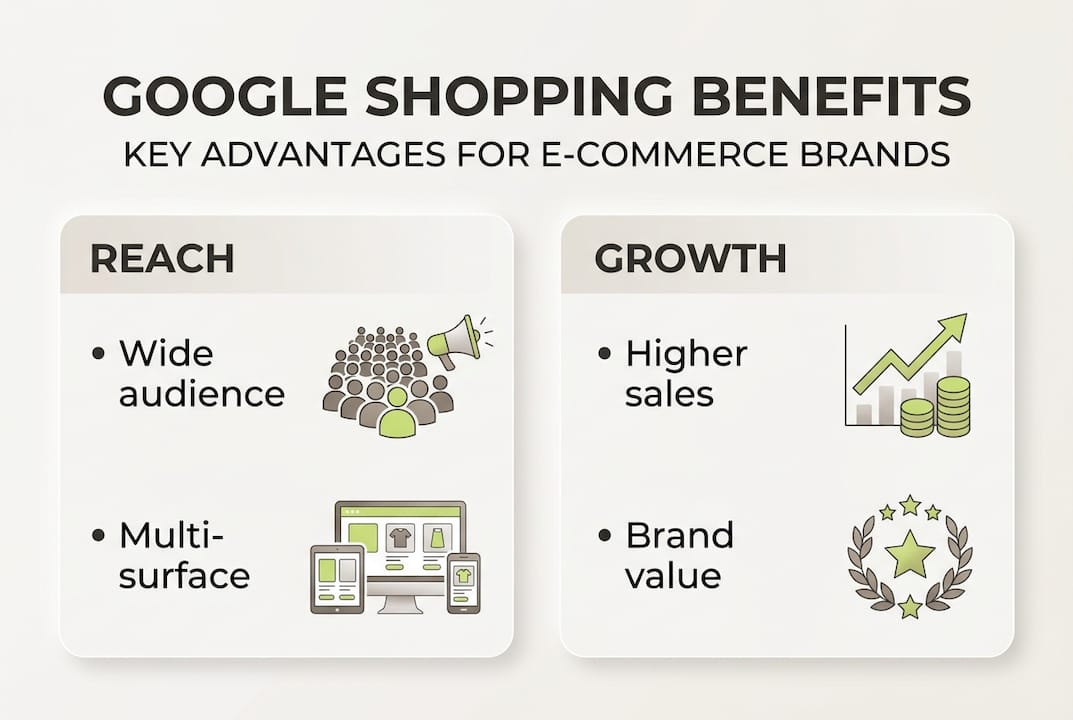
The most cited advantage is return on ad spend. Shopping ROAS benchmarks consistently outperform standard Search and Display campaigns in e-commerce verticals, though rising cost-per-click rates mean you cannot afford to be complacent. The brands achieving strong ROAS are the ones investing in feed quality and ongoing optimisation, not those who set campaigns live and walk away.
Beyond ROAS, Google Shopping covers the full purchase funnel:
- Top of funnel (awareness): Shoppable Images and YouTube placements introduce your brand to new audiences.
- Middle of funnel (consideration): The Shopping tab allows side-by-side comparison, where strong imagery and competitive pricing win.
- Bottom of funnel (conversion): High-intent search placements capture shoppers ready to buy right now.
This multi-touchpoint structure means Shopping is not just a conversion tool. It is a brand-building channel too. Shoppers who see your products repeatedly across Google surfaces develop familiarity, and familiarity drives trust.
AI and personalisation have raised the stakes considerably. Google’s algorithms now factor in a user’s past searches, purchase behaviour, and location when deciding which products to surface. Average or incomplete product data gets deprioritised. Brands with rich, accurate, and regularly updated feeds get the visibility.
Pro Tip: If you run automated discounts through Merchant Center, ensure your cost of goods sold (COGS) data is accurate. Google’s AI can apply discounts automatically to win sales, but without COGS data, you risk discounting yourself into a loss.
For broader context on improving returns, explore marketing tactics for ROAS and how AI automation for e-commerce is reshaping campaign performance in 2026.
Common pitfalls and how to stay compliant
Success on Google Shopping relies on compliance. Let’s outline what can go wrong and how to avoid preventable headaches.
Feed disapprovals are the most common obstacle e-commerce brands face. Common causes of disapproval include price mismatches between your feed and website, invalid or missing GTINs, policy violations involving prohibited content such as weapons or certain supplements, poor image quality with text overlays or watermarks, and misrepresentation issues like non-delivery or broken returns policies.
Here’s what to watch for proactively:
- Price mismatches: Your feed price must match your website price exactly, including VAT where applicable.
- Invalid GTINs: Use manufacturer-issued barcodes. Do not invent or reuse codes.
- Image standards: Use clean, white or neutral backgrounds. No promotional text overlaid on images.
- Prohibited products: Review Google’s policies before listing supplements, financial products, or age-restricted items.
- Returns and delivery: Ensure your returns policy is clearly stated and your delivery promises are accurate.
“Misrepresentation of yourself or your products is one of the most serious policy violations in Merchant Center. Ensure your website accurately reflects what you sell, how you sell it, and what customers can expect after purchase.” — Google Merchant Center Policy Guidelines
If you do receive a disapproval, act quickly. Update your feed and website to fix the specific issue flagged, then submit a review request through Merchant Center. Repeated violations can result in account suspension, which is far harder to recover from than a single product disapproval.
For hands-on help managing your feed, our product feed support covers everything from initial setup to ongoing compliance monitoring.
What most e-commerce brands miss about Google Shopping
Here’s an uncomfortable truth: most e-commerce brands treat Google Shopping like a checkbox. Set up the feed, link it to Ads, go live. Done. But that approach delivers average results at best, and wasted budget at worst.
The brands genuinely winning on Shopping share one habit: they treat their product feed as a growth lever, not an admin task. Feed titles are A/B tested. Images are refreshed seasonally. Custom labels are used to segment campaigns by margin, not just category. Bid strategies are reviewed weekly, not monthly.
Personalisation and AI have made mediocre data genuinely costly. If your feed is incomplete or generic, Google’s algorithms will favour competitors with richer data. The algorithm is not neutral. It rewards precision.
What we’ve seen across client accounts is that the biggest performance jumps rarely come from increasing budgets. They come from improving feed quality and tightening campaign structure. A 15% improvement in feed completeness can outperform a 30% budget increase. That’s a counterintuitive result, but it holds consistently.
The real opportunity in 2026 is treating Shopping as an integrated channel, not a standalone campaign. Connecting it to your ROI-focused marketing strategies, your SEO content, and your paid social efforts creates compounding visibility that no single channel can achieve alone.
Next steps: scale your e-commerce sales with Google Shopping expertise
If you’re ready to turn Shopping insights into growth, here’s how to get next-level results.
Knowing how Google Shopping works is one thing. Executing it well, consistently, at scale, is another challenge entirely.
At Geo Growth Media, we work as an extension of your marketing team, handling everything from feed optimisation and compliance to paid Shopping strategy and campaign management. We integrate Google Shopping with paid social support and SEO expertise to build full-funnel visibility that compounds over time. If you want expert Shopping support tailored to your products, margins, and growth targets, we’d love to show you what’s possible.
Frequently asked questions
Is Google Shopping free to use for businesses?
Businesses can access both free organic listings and paid ad placements through Google Shopping, making it accessible regardless of budget size.
How do I get my products listed on Google Shopping?
You upload product data to Google Merchant Center via a structured feed, and your items are matched to relevant searches based on feed quality, compliance, and relevance signals.
Why was my Google Shopping feed disapproved?
The most frequent causes include price mismatches, invalid GTINs, policy violations, or images that don’t meet Google’s quality standards.
What’s the main difference between Google Ads and Google Shopping?
Google Ads covers text and display formats, while Shopping is visually focused and powered by your product data feed rather than keyword bids alone.


.png)