.png)

.svg)




Your content can be genuinely excellent and still rank poorly. If search engines struggle to crawl your pages, misread your site structure, or penalise you for slow load times, no amount of quality writing will save your rankings. Technical SEO is the hidden engine beneath your website, and for e-commerce businesses competing in crowded markets, even small infrastructure problems can cost real revenue. This guide walks you through exactly how to conduct a technical SEO audit from scratch, covering the tools you need, the steps to follow, the mistakes to avoid, and how to keep your site in peak condition long after the audit is done.
Table of Contents
Key Takeaways
PointDetailsSet the groundworkKnow your audit tools and the basics of technical SEO before starting.Follow clear stepsA structured, step-by-step audit process saves time and maximises impact.Watch for common mistakesSpot and resolve errors like mobile issues or slow speed for the best results.Measure and maintainUse benchmarks and ongoing checks to ensure technical SEO delivers lasting value. Looking for the best place to start? Our SEO services and technical SEO services can support you at every stage.
Understanding technical SEO and audit essentials
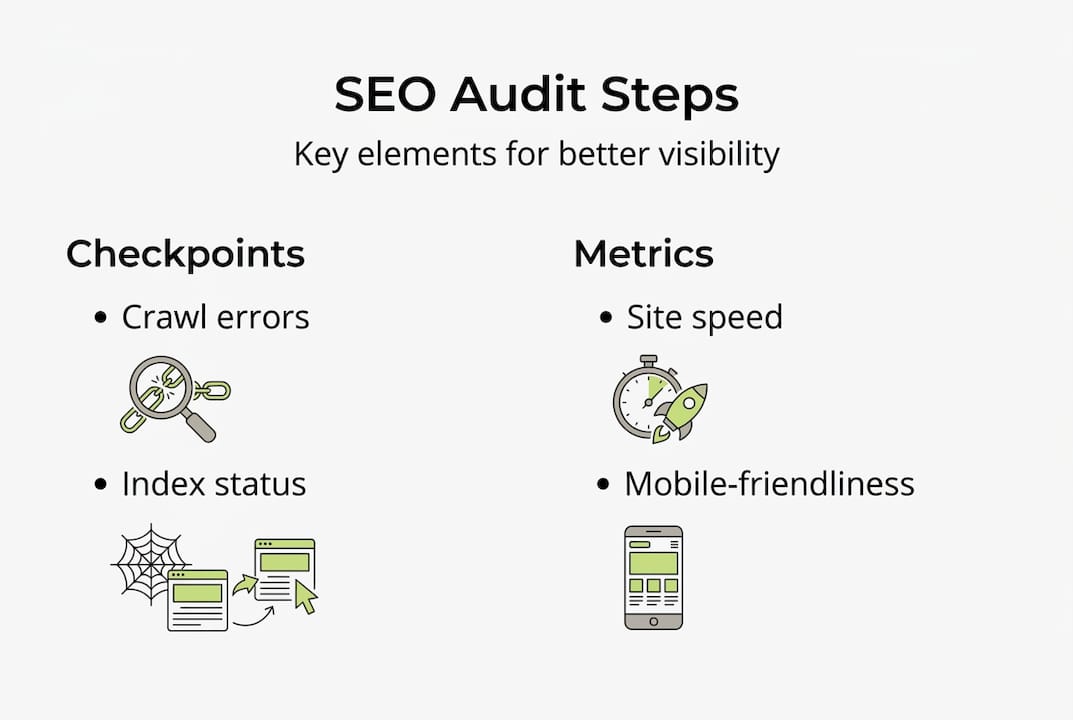
Before you start pulling reports, it helps to be clear on what technical SEO actually covers. In short, technical SEO is critical for site crawlability, speed, and indexation. It is the discipline of making your website easy for search engine bots to access, understand, and index. Unlike on-page SEO, which focuses on keywords and content, technical SEO deals with your site’s infrastructure: server configuration, page speed, mobile usability, URL structure, and security protocols.
For e-commerce businesses and marketing managers, this matters enormously. A product page that cannot be crawled is invisible to Google. A checkout page that loads in five seconds on mobile will lose customers and rankings simultaneously. These are not edge cases. They are daily realities for sites that have not undergone a proper audit.
To get started, you will need a handful of tools:
A common misconception is that technical SEO is only relevant for large enterprise sites. In reality, smaller e-commerce stores often have more to gain from fixing technical issues because their competitors may have overlooked the same problems. Another overlooked area is server-level settings, including response codes, redirect chains, and hosting performance, all of which affect how efficiently bots can crawl your site.
Here is a quick overview of core audit milestones to guide your process:
Audit milestoneWhat to checkPriorityCrawlabilityRobots.txt, blocked URLsHighIndexationCoverage report, noindex tagsHighSite speedCore Web Vitals, TTFBHighMobile usabilityResponsive design, tap targetsHighHTTPS securitySSL certificate, mixed contentMediumXML sitemapErrors, outdated URLsMediumStructured dataSchema markup validityLow
With these foundations in place, you are ready to move through the audit systematically. Reviewing SEO best practices before you begin can also help you prioritise the right issues from the start.
Step-by-step process for conducting a technical SEO audit
A systematic audit process is vital to achieve measurable SEO improvements. Without a clear sequence, it is easy to fix surface-level issues while missing deeper problems that are actually suppressing your rankings. Follow these steps in order:
Here is a comparison of manual versus automated audit approaches to help you decide which suits your situation:
ApproachSpeedDepthBest forManual auditSlowHighDiagnosing specific issuesAutomated toolsFastMediumRoutine site-wide scansHybrid (both)ModerateVery highFull pre-launch or quarterly audits
For a deeper look at the SEO audit for e-commerce specifically, there are additional considerations around faceted navigation and product page duplication. These issues are unique to e-commerce platforms and often require custom solutions. Always cross-reference your findings against Google Search Essentials to ensure your fixes align with what Google actually expects.
Pro Tip: Export your Screaming Frog crawl to a spreadsheet and sort by status code. Fix all 404 errors first by setting up proper 301 redirects. This alone can recover lost link equity quickly.
Troubleshooting issues and avoiding common mistakes
Even experienced teams run into blockers during a technical SEO audit. The three most common culprits are JavaScript rendering problems, mobile-unfriendly page layouts, and slow server response times.

JavaScript-heavy sites (particularly those built on React or Vue) can confuse search bots if content is not rendered server-side or pre-rendered. Googlebot can process JavaScript, but it does so on a delay. If your product descriptions or category content only appear after JavaScript loads, they may not be indexed reliably.
Mobile usability problems are particularly damaging. Ignoring mobile usability can cause significant ranking drops, especially since Google moved to mobile-first indexing. A layout that looks fine on desktop can have overlapping elements, unreadable fonts, or broken forms on mobile.
“More than 60% of all web traffic now comes from mobile devices, making mobile usability not just an SEO factor but a core business priority.”
Here is a checklist of red flags to investigate during your audit:
For e-commerce platforms like Shopify or WooCommerce, faceted navigation (filtering products by colour, size, or price) frequently generates thousands of duplicate or near-duplicate URLs. Most platforms offer ways to canonicalise or noindex these filtered pages, and doing so can dramatically clean up your index.
For technical SEO troubleshooting tips, Moz provides a solid reference for diagnosing server-level and structural issues.
Pro Tip: In Google Search Console, go to Settings and check the “Crawl Stats” report. If Googlebot is spending most of its crawl budget on low-value pages (like filtered category URLs), your important product pages may not be crawled as frequently as they should be.
Measuring results and ensuring ongoing technical SEO health
Fixing issues is only half the job. The other half is proving those fixes worked and keeping your site healthy over time. Routine monitoring of technical SEO metrics sustains long-term growth, and without a tracking system, improvements can quietly erode after site updates, new content pushes, or platform migrations.
Start by benchmarking your key metrics before and after each audit cycle:
MetricBefore auditAfter auditTargetCrawl errors473Below 5Indexed pages1,2001,580All key pagesLCP (mobile)5.2s2.1sUnder 2.5sCore Web Vitals pass rate34%81%Above 75%
Record these figures in a shared document so your team can track progress across quarters. This also makes it far easier to demonstrate SEO ROI to stakeholders who are not close to the technical detail.
Recommended tools and monitoring frequency:
For automation, consider setting up Screaming Frog’s scheduled crawls to run overnight and email you a summary report. This catches regressions early without requiring manual effort each time. Staying across SEO trends for 2026 is also worthwhile, as algorithm updates can shift which technical signals matter most.
The goal is not to run one perfect audit. It is to build a continuous improvement cycle where your site gets incrementally healthier with every release.
Why most SEO audits fall short: beyond the checklist
Here is an uncomfortable truth about technical SEO audits: most of them generate a long list of issues and fix very few that actually matter. The problem is that generic, templated checklists treat every website the same, regardless of whether it is a five-page brochure site or a 50,000-product e-commerce catalogue.
Fast-moving e-commerce platforms change constantly. New product lines are added, promotions create temporary landing pages, filters generate new URL patterns. A checklist built three months ago may be entirely irrelevant to the site you are auditing today. Experienced SEO practitioners know that the most impactful audits are adaptive. They start with business context: What pages drive revenue? Which categories are underperforming? Where is traffic dropping?
From there, the audit is shaped around those specific priorities rather than running through every possible check for its own sake. Experimenting with custom schema types for product reviews, implementing multilingual sitemaps for expanding brands, or investigating log file data to understand actual bot behaviour are all moves that templated audits would never surface. Explore tailored SEO strategies to see how a context-first approach plays out in practice. Tools help, but experience and business understanding are what separate audits that move the needle from those that just fill spreadsheets.
Take your technical SEO to the next level
Running a thorough technical SEO audit takes time, expertise, and the ability to prioritise fixes that genuinely move the needle for your specific business. If you have worked through this guide and want expert support to take it further, Geo Growth Media is built for exactly this.
We offer technical SEO services tailored to e-commerce businesses, from full site audits and crawl error resolution to ongoing monitoring and performance reporting. As a digital marketing support partner, we act as an extension of your in-house team, bringing the expertise and tools to drive measurable results. With deep e-commerce SEO expertise, we understand the unique challenges your business faces. Get in touch today to book a consultation and see what a properly structured audit can do for your search visibility.
Frequently asked questions
How often should I perform a technical SEO audit?
For most e-commerce sites, a technical SEO audit is recommended at least quarterly, or immediately before major site updates. Routine monitoring between audits keeps issues from compounding.
Can I do a technical SEO audit without premium tools?
Yes, free tools like Google Search Console and PageSpeed Insights can handle many core audit tasks effectively. Premium tools simply add speed and additional data layers for larger sites.
What is the difference between technical SEO and on-page SEO?
Technical SEO focuses on infrastructure, crawlability, and site speed, while on-page SEO targets your content, headings, and keyword usage.
What are the most common technical SEO errors?
The most frequent problems include broken links, duplicate content from URL parameters, slow page speeds, and accidentally blocking search bots via robots.txt misconfigurations.


.png)